Google Business Profile for Physical Therapists: The Local SEO Foundation Most Clinics Get Wrong
It's 9 PM on a Tuesday. Someone in your city just Googled "physical therapy near me" because their knee gave out during their morning run.
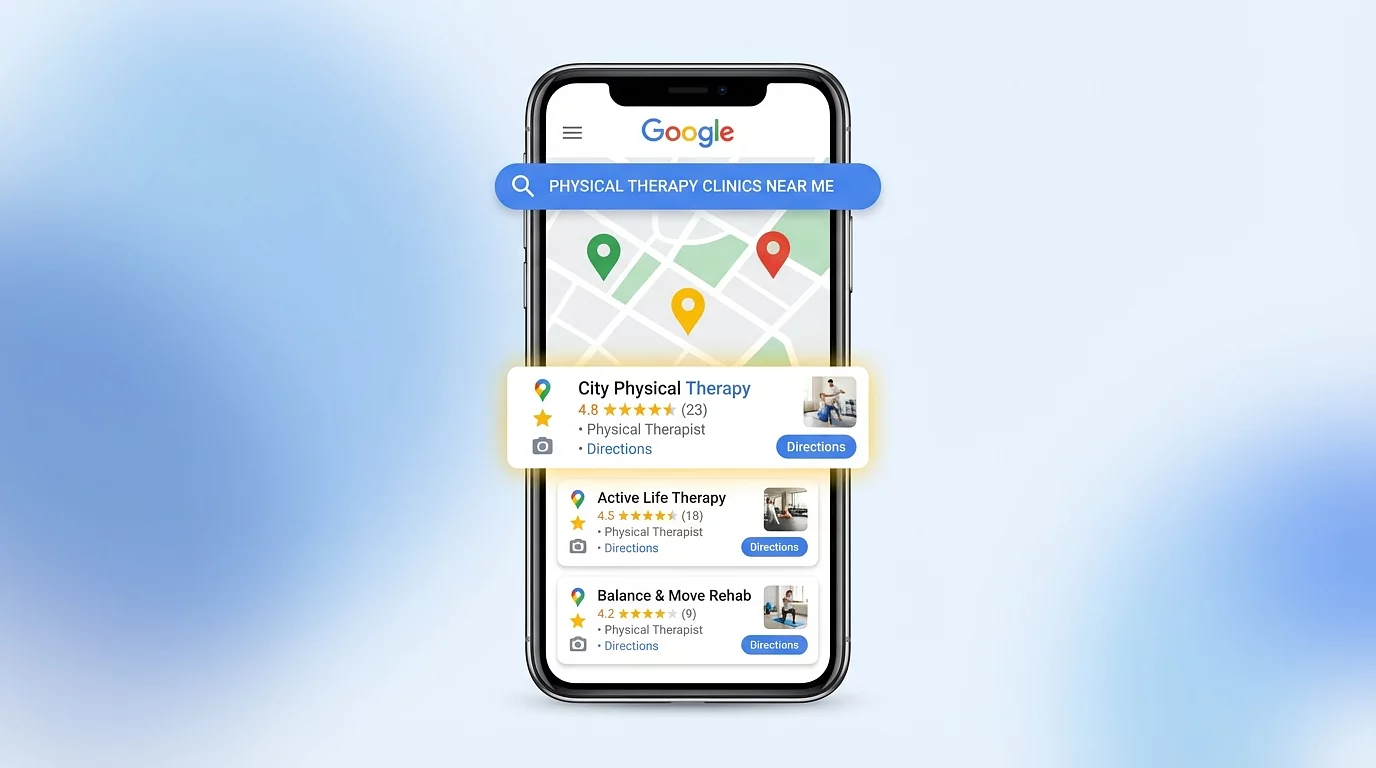
They scroll past the ads. Their eyes go straight to the Map Pack—those three business listings with the star ratings, photos, and "Directions" button right there.
Your clinic? Nowhere to be found.
Meanwhile, the practice that shows up at #2? They have fewer years in business than you. Fewer specialties. Probably worse outcomes.
But they're getting the patient inquiry. You're not.
Here's why: Google Business Profile (GBP) signals account for 32% of your local ranking weight—more than any other factor. Your profile is either working for you or it's costing you dozens of patient inquiries every month.
Most PT clinics have incomplete, outdated profiles that quietly sabotage their visibility. The good news? This is the most controllable ranking factor you have. Let's fix it.
What Google Business Profile Actually Does (And Why It Matters More Than Your Website)
Google Business Profile is the free tool that controls how your clinic appears in Google Search and Google Maps. When someone searches for "physical therapy near me" or "sports PT in [your city]," Google shows a Map Pack with three local businesses at the top of the results.
Almost half of all Google searches (46%) feature local intent. That's billions of searches every single day where people are looking for businesses like yours in their area.
Here's the reality: 97% of consumers search online when looking for local services. If your Google Business Profile isn't optimized, you're invisible to the majority of potential patients in your market.
Your website matters for organic rankings below the Map Pack. But for local visibility—showing up when someone searches "physical therapy near me"—your Google Business Profile is the single most important factor.
At Behind the Practice, we see this play out constantly: cash-based PT clinics with great clinical outcomes but weak Google Business Profiles lose patients to competitors who simply show up first on Google Maps.
The Foundation Most Clinics Skip
Most PT owners claim their Google Business Profile and then... forget about it. Maybe they added their address and phone number five years ago. Maybe they uploaded two photos of the waiting room. That's it.
Here's what they don't realize: 75% of top-ranking businesses have complete profile descriptions. The clinics dominating local search have systematically filled out every single field. They've optimized their categories. They've made their profiles work.
Business Categories: The 32% You're Probably Getting Wrong
Your primary category selection is the #1 local ranking factor according to local SEO experts. Yet most PT clinics either never changed it from whatever Google suggested, or they picked something generic that doesn't match what patients actually search for.
What to do:
- Primary category: "Physical Therapy Clinic" or "Physical Therapist" (for solo practitioners)
- Secondary categories: Add up to 9 additional categories based on your specialties—Sports Medicine Clinic, Rehabilitation Center, Pain Management Physician, Physical Therapy Service
Google uses these categories to decide which searches to show you for. If you don't have "Sports Medicine Clinic" as a secondary category, you're less likely to show up when someone searches "sports physical therapy near me"—even if that's 30% of your practice.
NAP Consistency: The Invisible Ranking Factor
NAP stands for Name, Address, Phone number. Google cross-references this information across the entire web—your website, Yelp, Facebook, Healthgrades, every directory listing.
If your clinic is "Peak Performance PT" on Google but "Peak Performance Physical Therapy LLC" on your website and "Peak PT" on Yelp, Google gets confused. Confused Google means lower rankings.
Your NAP audit:
- Use the exact same business name everywhere (no keyword stuffing like "Peak Performance PT – Best Sports Injury Specialists")
- Format your address identically (don't write "Suite 200" in one place and "Ste. 200" somewhere else)
- Use ONE primary phone number across all platforms
Check your website footer, contact page, Google Business Profile, and major directories. They should all match character-for-character.
Business Description: Your 750-Character Pitch
Your business description doesn't directly affect rankings, but it's crucial for conversions. The first 250 characters show before the "More" button—make them count.
What to include:
- Who you are and where you're located
- Who you serve (active adults, postpartum moms, athletes)
- What you specialize in (2-4 concrete specialties)
- How you work (1:1 care, session length, cash-based vs. insurance)
- Soft call-to-action
Example for a vestibular PT:
Indy Balance & Vestibular PT helps people with dizziness, vertigo, and imbalance feel steady and confident again. We specialize in BPPV, vestibular neuritis, post-concussion dizziness, and fall prevention for adults and older adults. Each visit is 1-on-1 with a vestibular-trained physical therapist using evidence-based testing, targeted exercises, and clear home plans—not generic "just walk more" advice. Book a free 15-minute phone consult to see if we're the right fit.
Complete Every Single Field
Businesses with complete profiles are 2.7 times more likely to be trusted by consumers. Don't leave fields blank because you think they don't matter.
Your completion checklist:
- Hours of operation (including special hours for holidays)
- Website URL
- Appointment/booking URL
- Services section (we'll cover how to list these strategically in the next section)
- Attributes (wheelchair accessible, appointment required, women-owned, etc.)
- Opening date (builds credibility)
- Logo upload
Every completed field is a signal to Google that your business is legitimate, active, and worth ranking.
Photos That Actually Get Clicks
Businesses ranking in positions 1-3 have an average of 250 images on their Google Business Profile. The average PT clinic has maybe 3-10 photos.
Photos don't just make your listing look better—they signal to Google that you're actively managing your profile. Businesses with high-quality, recent photos consistently outperform peers on engagement metrics like clicks, calls, and direction requests.
The HIPAA Challenge
You can't show patient faces without written marketing consent. You can't show computer screens with schedules. So what can you shoot?
HIPAA-safe photo categories:
- Exterior and signage (make it easy to find your building)
- Reception and waiting area (no patients visible)
- Treatment rooms (empty, clean, well-lit)
- Team photos (staff only, group and individual headshots)
- Equipment and specialty tools (dry needling setup, vestibular tools, gym space)
Your baseline goal: 10 photos to start. Then add 1-2 new photos per month to keep your profile fresh.
Technical specs:
- 1200 x 900 pixels (landscape orientation)
- JPG or PNG format
- Under 5 MB file size
- Descriptive file names like
denver-sports-pt-treatment-room-01.jpg(helps SEO)
Use your iPhone. Clean, well-lit photos from a smartphone beat no photos 100% of the time.
The Features Most PT Clinics Ignore
Beyond the basics, your Google Business Profile has several features that directly impact whether someone clicks "Call" or "Book."
List Your Services (Specifically)
Most PT clinics list "Physical Therapy" and stop. That's a mistake.
86% of Google Business Profile views come from category-based searches like "dry needling near me" or "sports injury rehab." If you don't have these services listed, Google has no reason to show you for those searches.
Service list examples:
- Orthopedic Physical Therapy
- Sports Injury Rehabilitation
- Post-Operative Rehab (ACL, rotator cuff, joint replacement)
- Dry Needling
- Manual Therapy
- Balance & Fall Prevention
- Chronic Pain Management
- Telehealth Sessions
- Post-Concussion Therapy
Add 1-2 sentence descriptions for each service. Be specific about who it's for and what outcomes to expect.
Pre-Populate Your Q&A Section
Don't wait for someone to ask a question. Control the narrative by answering the 5-7 questions every prospect has:
Sample Q&A pairs:
- Q: Do you accept insurance? / A: We're a cash-based practice. Sessions are typically $100-150. Many patients submit claims for out-of-network reimbursement.
- Q: How long are appointments? / A: Initial evaluations are 60 minutes. Follow-up sessions are 45-60 minutes of 1-on-1 time with your therapist.
- Q: Do I need a referral? / A: No. [Your State] allows direct access to physical therapy. You can book directly with us.
- Q: What conditions do you treat most often? / A: [List your top 3-5 specialties]
- Q: Do you offer free consultations? / A: Yes, we offer free 15-minute phone consultations to see if we're the right fit.
Answer these yourself (using a separate account or having a team member post them) before patients ask. This lets you control the message.
Enable the Booking Button
If you have online scheduling (Jane, Acuity, SimplePractice, etc.), link it directly in your Google Business Profile. The "Book" button appears prominently in your listing.
56% of all actions on Google Business Profiles are website visits. Make it as frictionless as possible for someone to convert.
Update Your Attributes
Attributes are the small details Google uses to match your business to specific search queries. Check all that apply:
- Wheelchair accessible
- Appointment required
- Accepts new patients
- LGBTQ+ friendly
- Women-owned business
- Accepts cash, credit cards, debit cards
These seem minor, but they help with search matching and build trust.
Google Posts: The Habit That Keeps You Visible
Google Posts are short updates that appear in your Business Profile when someone finds you. They don't directly affect rankings, but they signal to Google that your profile is active and managed.
What to post:
- Weekly health tips ("3 stretches for desk workers")
- Patient success stories (no PHI—keep it generic: "Meet John, who went from chronic back pain to running 5Ks")
- Special offers ("Free 15-minute phone consultation this month")
- Events or workshops
- Seasonal advice ("Stay injury-free during ski season")
Posting strategy:
- Minimum: A couple times per month
- Optimal length: 150-300 characters (1-2 short paragraphs)
- Always include an image and call-to-action button (Call, Book, Learn More)
- Posts stay visible for about 7 days but remain in your feed for 6 months
Set a reminder to batch-create your posts for the month.
Reviews: The 16% Ranking Factor You Can Control
Review signals account for 16% of local ranking weight—the third-highest factor after Google Business Profile signals and on-page SEO. In 2024, reviews accounted for 81% of all online review volume, making Google the dominant source of social proof.
Top-ranking businesses average 200+ reviews, with most having star ratings between 4.0 and 5.0. The average local business has only 39 reviews. If you can get to 50+ reviews with a 4.5+ average, you're ahead of most competitors.
The Review Generation System
Step 1: Get your direct review link
Go to your Google Business Profile dashboard, click "Get more reviews," and copy the custom link. This takes patients straight to the review form—no searching required.
Step 2: Ask at the right moment
The best time to ask for a review is when a patient mentions feeling better or hitting a milestone:
- "I can finally sleep through the night!"
- "I ran 3 miles without pain this morning!"
- At discharge when they're graduating from care
In-person script:
"I'm really glad to hear that. One way people find us is through Google reviews from current and former patients. If you're ever comfortable sharing a few words about your experience with our team—nothing medical, just how you felt treated—it would mean a lot. We'll send you a quick link later today so it's easy. Totally optional, but very appreciated."
Step 3: Follow up same day via SMS
Hi [Name], this is [Your Name] from [Clinic]. We really value feedback from the people we serve. If you're comfortable sharing your experience with our team on Google, you can do that here: [review link]
Thank you for being part of our community.
Step 4: Create a QR code for your clinic
Put a simple sign in your waiting room or at checkout with a QR code that goes to your review link. Patients waiting for appointments will see it.
Step 5: Respond to every review
You must respond to every review—positive, neutral, and negative. Businesses that respond to reviews tend to have better ratings over time. Keep your responses professional and focused on thanking patients for their feedback.
How This Connects to Your Overall Physical Therapy SEO Strategy
Your Google Business Profile handles the Map Pack—those top 3 local results. Your website handles the organic search results below the map.
You need both working together to dominate page 1.
For more on website optimization and what actually matters for organic rankings, check out our deep dive: Physical Therapy SEO: What's Actually a Good Click-Through Rate in 2025?
The compounding effect of good local SEO:
- Month 1-3: Building foundation (profile optimization, initial photos, first reviews)
- Month 4-6: Momentum builds (rankings improve, reviews accumulate, content library grows)
- Month 7-12: Compounding returns (SEO traffic grows exponentially, review count hits critical mass)
- Year 2+: Sustainable growth machine with lower patient acquisition costs
At Behind the Practice, we help cash-based PT clinics build and maintain these systems so you can focus on treating patients instead of figuring out Google's algorithm.
The 7-Day Google Visibility Blueprint
You now know what needs to be fixed. Here's how to fix it in one week.
Day 1: Foundation
- Set primary and secondary categories
- Verify NAP consistency across the web
- Write or update your business description
- Complete all profile fields (hours, website, attributes)
Day 2: Photos
- Shoot 10 baseline photos (exterior, interior, team, equipment)
- Upload with descriptive file names
- Set your logo as profile photo
Day 3: Services & Features
- List 8-12 specific services with descriptions
- Pre-populate 5-7 Q&A questions
- Enable booking button
- Check all relevant attributes
Day 4: Content & Posts
- Publish your first Google Post
- Plan your next 2-3 posts for the month
- Set a reminder to post a couple times per month
Day 5: Review System Setup
- Save your direct review link
- Customize review request templates (SMS, email, in-person)
- Create QR code for clinic signage
- Review HIPAA-safe response guidelines
Day 6: Review Sprint
- Ask 5-10 recent patients for reviews (in-person)
- Send SMS follow-ups same day
- Respond to any reviews that come in
Day 7: Audit & Ongoing Habits
- Audit your progress against competitors
- Set your posting habit (couple times per month: post + request 2-3 reviews)
- Set monthly habit (30 min first Friday: add 1-2 photos, check competitors)
- Set quarterly habit (1 hour every 3 months: update description, run review sprint)
Get the Complete Step-by-Step Blueprint
Want the full implementation guide with word-for-word scripts, HIPAA-compliant templates, photo shot lists, and exact checklists for each day?
I created a free 7-day email course called the Google Visibility Blueprint that walks you through optimizing your entire Google Business Profile—one day at a time. No fluff, just exactly what to do and how to do it.
Plus, you'll get access to a custom AI assistant (powered by ChatGPT) that helps you write your business description, create Google Posts, draft review request messages, and more—all optimized specifically for PT clinics.
Each email includes:
- Daily action items (30-60 minutes max)
- Copy-and-paste templates and scripts
- Examples from real PT clinics
- HIPAA compliance guidance
- AI assistant to help you execute each step faster
Get the free Google Visibility Blueprint →
Or if you'd rather have experts handle all of this while you focus on treating patients, that's exactly what we do at Behind the Practice. We manage Google Business Profile optimization, review generation, content creation, and ongoing local SEO for cash-based PT clinics.
Your Google Business Profile Is the Most Controllable Factor in Local Rankings
You can't control your competitors' review counts. You can't control Google's algorithm. You can't control whether another clinic opened up down the street.
But you can control whether your Google Business Profile is complete, optimized, and actively managed.
The clinics dominating your local market aren't doing anything magical. They're just doing these fundamentals consistently. Most PT clinics have incomplete profiles with 5-10 photos, no posts, and maybe 20 reviews. If you follow this framework, you'll leapfrog 80% of your competition in 90 days.
Now you know what to fix. Go fix it.