5 Conversion Killers Hiding on Your PT Clinic's Website
Your PT clinic website might be getting traffic. People are finding you on Google, clicking through, landing on your homepage. But then... nothing. No calls. No bookings. No new patients.
If you've read our piece on the 3-Second Test, you know that 75% of PT clinic websites fail to communicate what they do and who they help within three seconds. But here's the thing: even sites that pass that test often have conversion killers lurking beneath the surface.
The 3-Second Test tells you whether someone understands what you offer. These five mistakes determine whether they actually book—or bounce to your competitor instead.
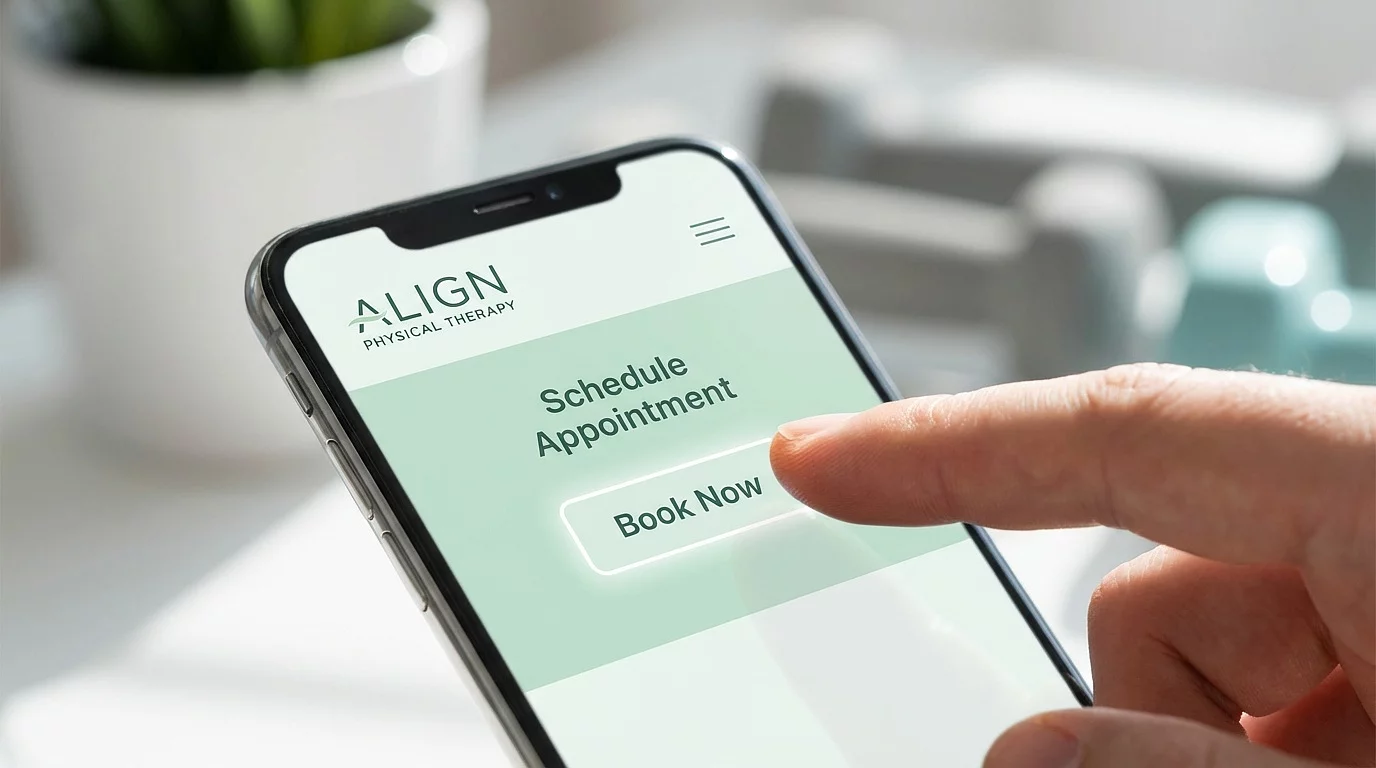
Mistake #1: Your "Book Now" Button Is Playing Hide and Seek
Let's start with the most obvious thing that somehow gets overlooked constantly: your call-to-action button.
I'm talking about that "Schedule an Appointment" or "Book Now" button. On too many PT websites, it's either buried at the bottom of the page, blends in with the rest of the design, or says something useless like "Submit" or "Learn More."
Here's a term you might hear in web design: "above the fold." It comes from newspapers—the important headlines were always above where the paper folded so you'd see them on the newsstand. On a website, "above the fold" means whatever someone sees before they scroll. On a phone, that's basically just your headline, maybe a sentence or two, and hopefully a button.
If your booking button requires scrolling to find, you're losing people.
The fix:
- Put your primary button where it's visible immediately—no scrolling required
- Use a color that contrasts with your background (if your site is blue, don't make the button blue)
- Write action-oriented text: "Book Your Evaluation" beats "Contact Us" every time
- On mobile, consider a sticky button that stays visible as people scroll
One clinic changed their button color and rewrote the text. That's it. Their lead inquiries jumped nearly 40%. Sometimes the simple stuff matters most.
Mistake #2: Contact Forms Instead of Scheduling Links
This one drives me crazy because it's so common and so easily fixed.
Here's what happens on most PT websites: A potential patient finds you, decides they want to book, clicks "Schedule Appointment"... and gets a contact form. Name, email, phone, "describe your issue," submit.
Then what? They wait. Maybe you call back in an hour. Maybe tomorrow. Maybe never—research shows only about a quarter of healthcare form submissions ever get a response at all.
Meanwhile, that patient Googled three other clinics. One of them had a direct link to an online scheduler. They booked in 90 seconds while sitting in their car. You lost.
Here's the reality: 67% of patients prefer online scheduling. They want to see your availability and book right then—often at 9pm when your office is closed. But only a tiny fraction of appointments actually happen online because most clinics make it too complicated.
Every extra step between "I'm interested" and "I'm booked" is an opportunity for patients to choose your competitor instead.
The fix:
- Link directly to your scheduling tool (Jane, Acuity, Calendly, your EHR's scheduler)
- Remove the middleman—no "we'll call you back" promises
- If you absolutely must use a form, respond within five minutes (yes, minutes—not hours)
- Make sure online booking works outside business hours, because that's when 40-60% of appointments get scheduled
The goal is simple: when someone decides they want to see you, don't make them wait for permission. Let them book.
Mistake #3: No Reason to Trust You (Yet)
Put yourself in a potential patient's shoes. They've never heard of you. They Googled "vestibular physical therapy near me" or "shoulder pain specialist," clicked your site, and now they're looking at your homepage.
They see your headline. They see a button. But why should they trust you? You're asking them to book an appointment—to commit their time, their money, and their health—based on what exactly?
94% of patients read online reviews before choosing a healthcare provider. If they can't see any proof that you're good at what you do, they're going to go find a provider where they can see that proof.
The fix:
- Display your Google rating and review count near your main button ("4.9 ★ from 73 reviews")
- Include one short testimonial quote that speaks to results
- Show your credentials if you have relevant specializations (OCS, vestibular certified, pelvic health specialist)
- Use real photos of you and your clinic—not stock images of models pretending to do stretches
This doesn't need to be complicated. Even a simple star rating visible on your homepage can make the difference between "I'll think about it" and "I'll book now."
If you're struggling with review volume, check out our guide on optimizing your Google Business Profile—that's where building a consistent review engine starts.
Mistake #4: Generic Messaging That Could Be Anyone
"Quality care for the whole family."
"Comprehensive physical therapy services."
"Helping you move better and feel better."
These headlines could be on literally any PT website in America. They say nothing. They help no one.
When someone lands on your site, they're asking one question: "Is this for someone like me, with my specific problem?"
If your homepage says "physical therapy services" and they're looking for help with chronic dizziness, they have no idea if you can help them. So they leave and keep searching.
Cash-based practices especially can't afford generic messaging. You're asking people to pay out of pocket. They need to know exactly why you're worth it.
The fix:
- Lead with your specialty, not "physical therapy"
- "Vestibular Specialists Helping You Get Dizzy-Free" tells me exactly who you help and what you do
- Use the language your patients use—"vertigo" and "dizziness," not "vestibular hypofunction"
- If you serve multiple specialties, make it easy to navigate to the right one
This is really about having a clear offer—not just "we do PT" but "here's the specific outcome we help you achieve." The clearer you are, the more the right patients will recognize themselves in your message.
Mistake #5: Your Mobile Experience Is Broken
Here's a number that might surprise you: over 60% of your website traffic is probably coming from phones. Not desktops. Phones.
And yet, most PT clinic websites are designed on a big desktop monitor and then "hopefully" work okay on mobile. They don't.
Buttons are too small to tap accurately. Text requires pinching and zooming. The page takes forever to load because nobody optimized those giant image files. The booking button is nowhere to be found without scrolling through three screens of content.
53% of mobile users will abandon a site that takes more than three seconds to load. Three seconds. That's how long you have before they're gone.
The fix:
- Test your own site on your phone right now—can you book an appointment in under 30 seconds?
- Make sure buttons are big enough to tap with a thumb (small buttons = frustrated users = bounces)
- Compress your images—this alone can cut load time significantly
- Consider a sticky "Book Now" button on mobile so it's always one tap away
- Make your phone number click-to-call (nobody wants to memorize and re-type a number)
Mobile isn't a "nice to have" anymore. For most practices, it's where the majority of your potential patients are experiencing your brand for the first time. If that experience is frustrating, they won't give you a second chance.
The Compound Effect of Getting This Right
Here's the thing about these five mistakes: each one costs you patients on its own. But together, they're devastating.
Think about it. Someone finds you on Google (good!). They land on your mobile site but it loads slowly (strike one). Your headline is generic so they're not sure you're right for them (strike two). They don't see any reviews or trust signals (strike three). And when they finally decide to give you a shot anyway, they hit a contact form instead of a scheduler (they're gone).
Average PT clinic websites convert around 3% of visitors. Top performers convert 8% or higher. That's not a small difference—that's potentially 2-3x more patients from the exact same traffic.
And you don't necessarily need a new website to fix this. Most of these issues can be addressed in an afternoon with basic access to your site:
- Move your booking button above the fold
- Swap your contact form for a direct scheduling link
- Add your Google rating and one testimonial
- Rewrite your headline to be specific about who you help
- Test your mobile experience and fix the obvious friction
Even getting two or three extra patients per month from these changes means an additional $2,000-4,500 in revenue—every single month, compounding as you keep improving.
Ready to Audit Your Site?
If you want to know how your website stacks up, start with the 3-Second Test. Then run through this list and see how many of these conversion killers are hiding on your own site.
And if you'd rather have someone who's done this a hundred times take a look and tell you exactly what to fix—that's what we do at Behind the Practice.
Frequently Asked Questions
What's the most important thing to fix first on my PT website?
Start with your call-to-action button. Make sure it's visible immediately when someone lands on your site (no scrolling required), uses a contrasting color, and links directly to your scheduling tool—not a contact form. This single change often has the biggest impact on bookings.
Do I really need online scheduling, or is a contact form okay?
Online scheduling significantly outperforms contact forms. The core issue is delay—when someone fills out a form, they're waiting for a callback that might take hours or never come. Direct scheduling lets them book immediately, often outside business hours. If you must use a form, responding within five minutes is critical.
How do I add trust signals if I don't have many Google reviews yet?
Start with what you have. Even a handful of reviews is better than nothing—display your star rating prominently. Add credentials and certifications (OCS, specialty training). Include one strong testimonial quote. Use real photos instead of stock images. Then build your review volume over time through consistent post-visit requests.
How do I know if my mobile experience is bad?
The simplest test: open your website on your phone and try to book an appointment. Time yourself. If it takes more than 30 seconds, or if you find yourself pinching to zoom, hunting for buttons, or waiting for pages to load—your mobile experience needs work. Have a few friends or family members try the same test and watch where they struggle.
How much can fixing these issues actually improve my patient bookings?
Results vary, but converting your site from 3% to 6% doubles your leads from the same traffic. For a site getting 500 monthly visitors, that's the difference between 15 and 30 inquiries per month. At an average patient value of $1,500+, even modest improvements translate to significant revenue.
References
- Chili Piper. "2025 Demand Generation Benchmark Report." Chili Piper, 2025. https://www.chilipiper.com/resources/demand-gen-benchmark-report — Immediate booking options double form-to-meeting conversion rates (30% → 66.7%).
- Zippia. "25 Fascinating Online Appointment Scheduling Statistics." Zippia, 2023. https://www.zippia.com/advice/online-appointment-scheduling-statistics/ — 67% of patients prefer online scheduling; 40% of appointments booked outside business hours.
- Healthgrades. "Patient Scheduling Preferences Survey." Healthgrades, 2023. — Up to 80% of patients prefer online booking options.
- Ruler Analytics. "Average Conversion Rate by Industry." Ruler Analytics, 2024. https://www.ruleranalytics.com/blog/insight/conversion-rate-by-industry/ — Healthcare contact form conversion rates average approximately 2%.
- BrightLocal. "Local Consumer Review Survey 2024." BrightLocal, 2024. https://www.brightlocal.com/research/local-consumer-review-survey/ — 94% of consumers read online reviews for local businesses.
- Google/SOASTA. "The State of Online Retail Performance." Think with Google, 2017. https://www.thinkwithgoogle.com/marketing-strategies/app-and-mobile/mobile-page-speed-new-industry-benchmarks/ — 53% of mobile users abandon sites that take longer than 3 seconds to load.
- Statista. "Mobile Share of Website Traffic Worldwide." Statista, 2024. https://www.statista.com/statistics/277125/share-of-website-traffic-coming-from-mobile-devices/ — Over 60% of web traffic comes from mobile devices.
- InfluxMD. "Healthcare Lead Response Time Study." InfluxMD, 2023. — Only 27% of healthcare form leads receive any response; average response time for contacted leads is 47 hours.